
The best Santa surprise video does two things. Santa says things only Santa could know about your child, and you film the moment your child hears them. Our Magic Santa video does both in one file: Santa speaks to your child by name, and the device camera records their face while they watch. This guide shows what to put in the message, how to prepare the moment without spoiling it, and how to share the result.
TL;DR
- A Santa message feels magical when it is specific: your child’s name, age, one real achievement this year and one wish.
- Keep the script short and warm, and never promise a particular present.
- Set up the camera before you press play, and let your child react without being coached.
- Share a clip with grandparents and friends, and leave out addresses, school names and other identifying details.
- Magic Santa’s video is a one-time $7 purchase, delivered in 1080p with no watermark.
Table of Contents
- Why a generic Santa video falls flat
- What to put in a personalized Santa message
- How long should the message be?
- A simple example script
- How to capture an authentic reaction
- Saving and sharing the video
- For grandparents, aunts, uncles and godparents far away
- Beyond the video: chat and calls
- Your Santa video, step by step
- Make your own Santa surprise video
- FAQ
- Sources
Why a generic Santa video falls flat
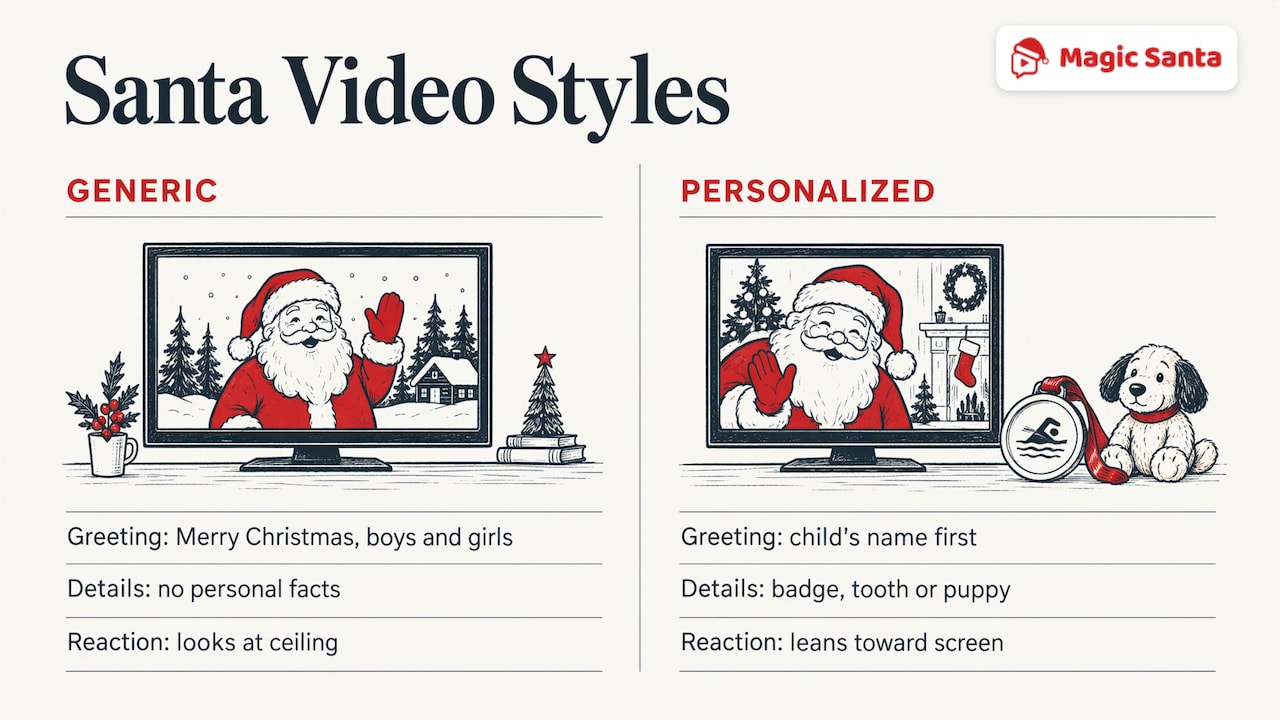
Most children between 3 and 10 have seen a Santa clip. A stranger in a red suit saying “Merry Christmas, boys and girls” is pleasant, but it is the same clip every child gets. The jolt of delight comes when Santa uses your child’s name in the first few seconds and then mentions something no stranger should know: the swimming badge, the lost tooth, the new puppy.
That is the whole principle. Personal detail is what turns a video into an event. A child who hears their own name, then hears about their own year, tends to lean toward the screen. A child who hears a generic greeting tends to look at the ceiling.
This is also why a recorded clip from a relative in a Santa hat is hard to pull off. Children know a parent’s voice instantly, and they know the voice of the uncle who visits every Sunday. A voice that sounds like Santa, backed by details from the family, avoids that problem.
What to put in a personalized Santa message
You do not need a long script. A short, focused message lands better than a long list of facts. Here is what works, in the order it works.
Start with the name and one warm detail
Open with the child’s name and a friendly line about their age: “Emma, I can’t believe you’re seven already.” Age matters because it lets Santa talk at the right level, and children love hearing that Santa has been counting.
Add one or two true achievements
Pick things that are real and specific. “You learned to ride your bike without training wheels” beats “you’ve been very good.” Good categories include:
- Something hard they practiced: reading, swimming, a musical instrument, tying shoes.
- Kindness: sharing a toy, helping a younger cousin, looking after a pet.
- A milestone: starting school, losing a first tooth, moving up a belt in karate.
For children who are 8 to 10 and beginning to wonder about Santa, lean toward kindness and looking after others rather than sleigh logistics. Guidance on recorded Santa messages from SayPlay makes the same point, and it matches what parents of older kids tend to find: the sleigh talk sounds babyish, the praise does not.
Mention the wish, but do not promise the gift
Santa should show that he knows what your child hopes for: “I hear you’ve been dreaming about a telescope.” He should not say “you’ll find it under the tree.” If the present does not appear, a promise from Santa is hard to take back on Christmas morning. Phrases like “I’ll do my very best” or “the elves are working on it” leave room.
Use family photos and videos
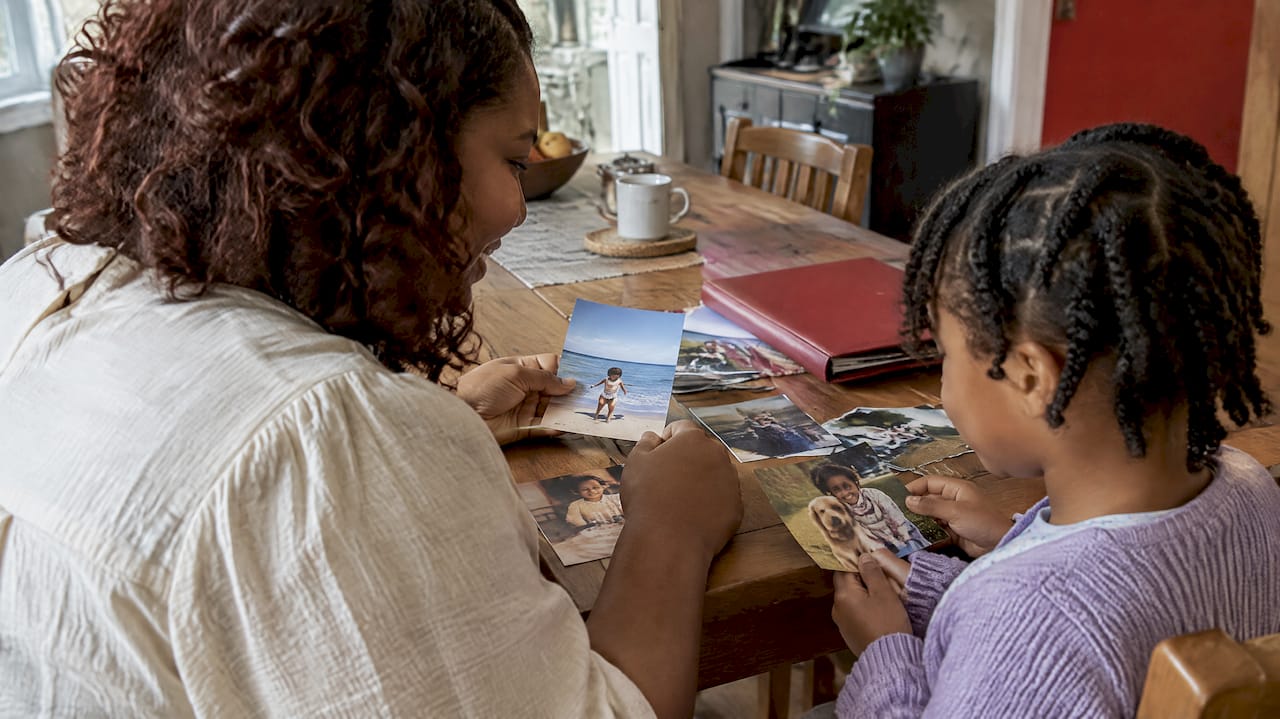
The most convincing touch is Santa showing the family’s own photos and videos on his TV and commenting on each one. In our film, Santa narrates the photos and videos you provide, so your child sees the beach trip or the birthday party and hears Santa describe it. It is a small thing that makes a child’s jaw drop, because it proves Santa has been watching the year.
Choose photos with a clear story: a first day of school, a sports medal, a pet. Skip anything that shows your house number, school name or other identifying details.
Close with something gentle
End with a short reminder that fits your family: brush teeth, be kind to a sibling, help with the dishes. Then a warm sign-off. If you want a theme to weave in, a countdown ritual is easy to mention: if your family opens a daily advent calendar, Santa can say he knows which door is next. Some families pair the video with Christmas advent calendar ideas so the countdown and the message feel like parts of the same story.
How long should the message be?
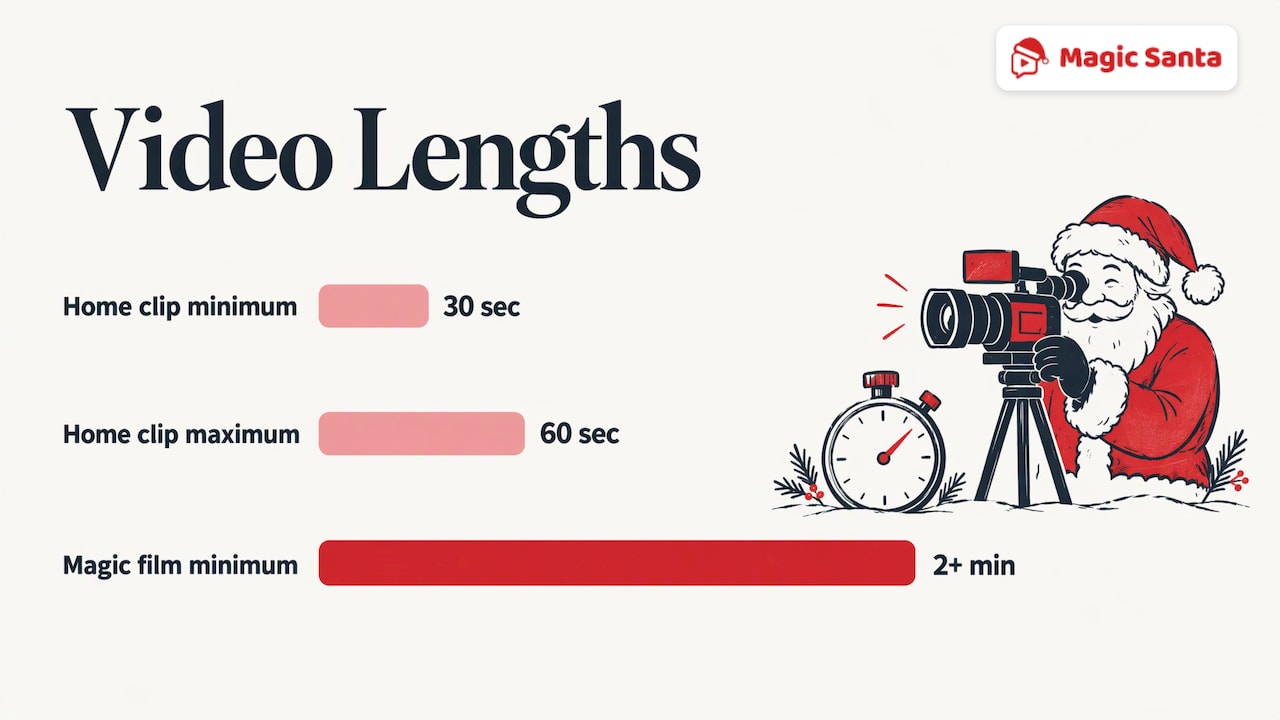
Short messages hold attention. Guides for home-recorded Santa clips tend to suggest 30 to 60 seconds, which is roughly 70 to 140 words. A film with photos and videos naturally runs longer. Ours runs two minutes or more, which gives room for the name, age, achievements, wishes and the photo segments without rushing.
A useful rule is one emotional goal per message. Pick excitement, praise, comfort or surprise, and let that guide which details you include. A message for a nervous four-year-old should be reassuring and rhythmic. A message for a nine-year-old can include a specific compliment and one North Pole detail.
Before the film is made, read the script aloud to another adult. If a line sounds stiff or robotic to them, it will sound stiff to a child. With Magic Santa you can read and edit the script before Santa records it, so you can fix any line that does not sound right for your child.
A simple example script
Here is the shape of a good message, with the details swapped for your own:
| Part | Example | Why it works |
|---|---|---|
| Name and age | “Hello Noah! Eight years old, and taller than last Christmas.” | Instant recognition |
| Achievement | “The elves told me you finally learned to swim the whole pool.” | Specific, true, praised |
| Photo moment | “Look at this one, that’s you with your grandpa fishing.” | Proof Santa saw the year |
| Wish | “I hear you’re hoping for a chemistry set.” | Shows Santa listens, no promise |
| Kindness note | “Keep looking out for your little sister.” | Gentle, personal reminder |
| Sign-off | “Merry Christmas, Noah. Ho ho ho!” | Warm close |
That is about six beats. You can cover them in under two minutes and still leave room for a photo or two.
How to capture an authentic reaction
The reaction is half of the value. A message your child watches once and forgets is less of a keepsake than a clip where their face goes from curious to astonished. Here is how to get it without spoiling the moment.
Set the scene before you press play
Choose a calm moment: after dinner, before bath, or on a quiet weekend morning. Avoid the hour before bedtime if your child is tired, and avoid a crowded room if your child is shy. Tell them only that there might be a surprise message from Santa. Do not describe what he will say.
Let the camera do the filming
The Magic Reaction Cam uses the device’s own camera to film your child’s face while they watch. That means you are not holding a phone in their face, and nobody has to step in and out of the shot. The child watches Santa. The camera quietly watches the child. Magic Santa then combines both into a single vertical video: Santa full screen, your child’s reaction in a picture-in-picture window.
Place the device at a comfortable eye level, with the child’s face lit from the front. A window or lamp behind them leaves a silhouette.
Give them a simple role and leave the feelings alone
Do not tell your child how to feel. Avoid “Isn’t that amazing?” or “Say thank you to Santa!” in the middle of the message. A child who is being coached looks at you, not at the screen. Sit nearby, stay quiet, and smile.
Afterward, ask an open question like “What part made you smile?” This is gentler than pushing the child to say whether Santa was real, and it often gives you the best line for the family group chat. Tutorial.ai’s privacy and comfort tips for Santa messages suggest the same approach.
Prepare for the unexpected
Some children laugh, some hide behind a cushion, some go completely silent. All of these are real reactions. A shy child who stares wide-eyed for two minutes has had a great experience. Do not stop the film because the reaction is quieter than you hoped.
Saving and sharing the video
Once the film is ready, you can download it, keep it in your account or share it with grandparents and friends. The file arrives in 1080p without a watermark. If you want to know what a watermark means and why a clean file matters for sharing, our guide to getting a clean Santa video explains it.
Share with care
A child’s reaction is a private moment that is easy to turn public. Some ground rules:
- Send it first to the people who matter: grandparents, aunts, uncles, godparents. A family group chat is the natural home.
- If you post on social media, consider whether your child is comfortable with it, and whether you want a version that does not show their face.
- Keep identifying details out of anything public: your address, your child’s school, daily routines and health information.
- When you enter details for a personalized product, give the least that makes the message feel personal: a first name, an age, one hobby, one recent achievement. Read the privacy language before adding anything else.
A practical test is to ask yourself whether you would be happy for that clip to be seen by your child at sixteen. If yes, share it. If you hesitate, keep it in the family.
For grandparents, aunts, uncles and godparents far away
If you live far from a child, a Santa video is one of the few gifts that arrives on Christmas Eve without postage and feels personal. You do not have to be in the room to be part of the surprise.
Here is a simple way to do it as a distant relative:
- Ask the parents which achievements and wishes are safe to mention. They will know what the child is proud of and what Santa must stay away from.
- Pick a few photos or short videos of the child, or of you and the child together. A video call screenshot or a past holiday visit works well.
- Choose the detail only you would know: the song you always sing together, the game you play on visits.
- Ask the parents to be there with the camera ready, so the reaction is captured for you to watch later.
The finished video can be shared straight back with you. For many grandparents the reaction clip is the real present: you get to see your grandchild’s face on Christmas morning, even from a thousand miles away.
Beyond the video: chat and calls
Some children want more than a film. They want to talk back. For those families there are two more ways to keep the magic going.
WhatsApp chat. Your child can message Santa on WhatsApp and he texts back, sends voice notes and remembers what they told him. He replies in the language your child writes in, which helps in bilingual families and with grandparents who speak a different language from the grandchildren. Details are on the Chat with Santa page.
A live call. Your child can call Santa on +1 (845) 327-2682 and he answers in real time, greeting them by name. No account is needed to call, and the first messages and minutes are free. If you would like to know how the call works before your child dials, see Talk to Santa.
A good sequence is the film first, to create the surprise, then the chat or call so your child can reply to the man who just talked about their year.
Your Santa video, step by step
Here is the whole process from start to finish.
- Decide the goal. Excitement, praise, comfort or surprise. One is enough.
- Gather three or four details. Name, age, one or two real achievements, one wish.
- Pick photos and clips. A few clear, happy ones with a story behind them.
- Read the script. Edit anything that sounds stiff. Read it aloud to another adult.
- Choose the moment. Calm, unhurried, with the device at the child’s eye level.
- Press play and step back. No coaching, no commentary.
- Ask one open question. “What part made you smile?”
- Share with care. Family first, public only if you and your child are comfortable.
For more script ideas you can adapt, see our guides on what Santa can say to kids and on what makes a Christmas video believable.
Make your own Santa surprise video
If you want the whole thing in one place, Magic Santa’s film is built for this. Santa speaks directly to your child in a personalized film of two minutes or more. He uses their name, talks about their age, celebrates their achievements and wishes, and narrates your family’s photos and videos on his TV. You can read and edit the script before Santa records it, and the Magic Reaction Cam records your child’s face while they watch.

Each film is a one-time purchase of $7, with no subscription. You can create your Magic Santa video in a few minutes, then download it, keep it in your account or send it to the grandparents.